Nav2 on the TurtleBot4
In this section, we will cover the steps required to perform navigation using the TurtleBot4 robot platform.
General Setup
The Turtlebot4 runs with a Raspberry Pi 4 as main computer. This is quiet small when it comes to power and performance.
In case you encounter slow startup times for nodes or docker containers please be patient and wait a bit longer.
To start navigation on the turtlebot please go into the roscon_de_2025_navigation_workshop/turtlebot4_navigation/ folder and start the navigation stack with: folder and run.
docker compose up -d
This should start two containers, one for the localization and one for the navigation stack.
docker ps
You should see something like this:
CONTAINER ID   IMAGE                          COMMAND                  CREATED          STATUS          PORTS     NAMES
acba7465b33a   turtlebot4_navigation:kilted   "/entrypoint.sh bash…"   42 minutes ago   Up 13 minutes             ros2-turtlebot4-navigation-kilted
c4f03943659e   turtlebot4_navigation:kilted   "/entrypoint.sh bash…"   42 minutes ago   Up 42 minutes             ros2-turtlebot4-localization-kilted
Initialize and send a goal with Lichtblick
Now the navigation is started try to localize the robot over Lichtblick
Use the publish tool to send an initial pose to the robot.
Make sure to select the initialpose topic in the publish section.
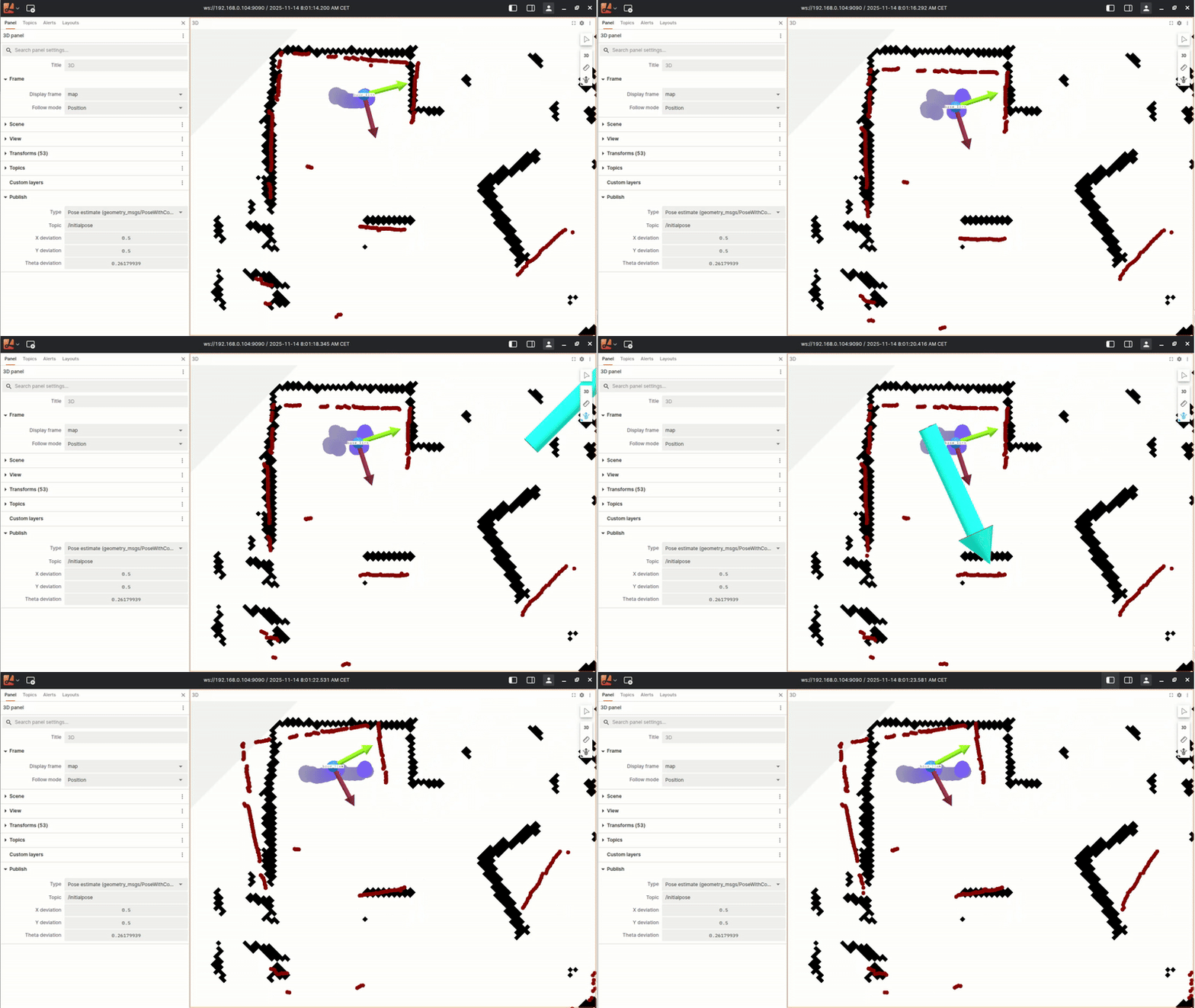
With the robot localized now you should be able to send and monitor goals over lichtblick as well.
Make sure you have the goal topic selected in the publish section.
It needs to be set to /goal_pose
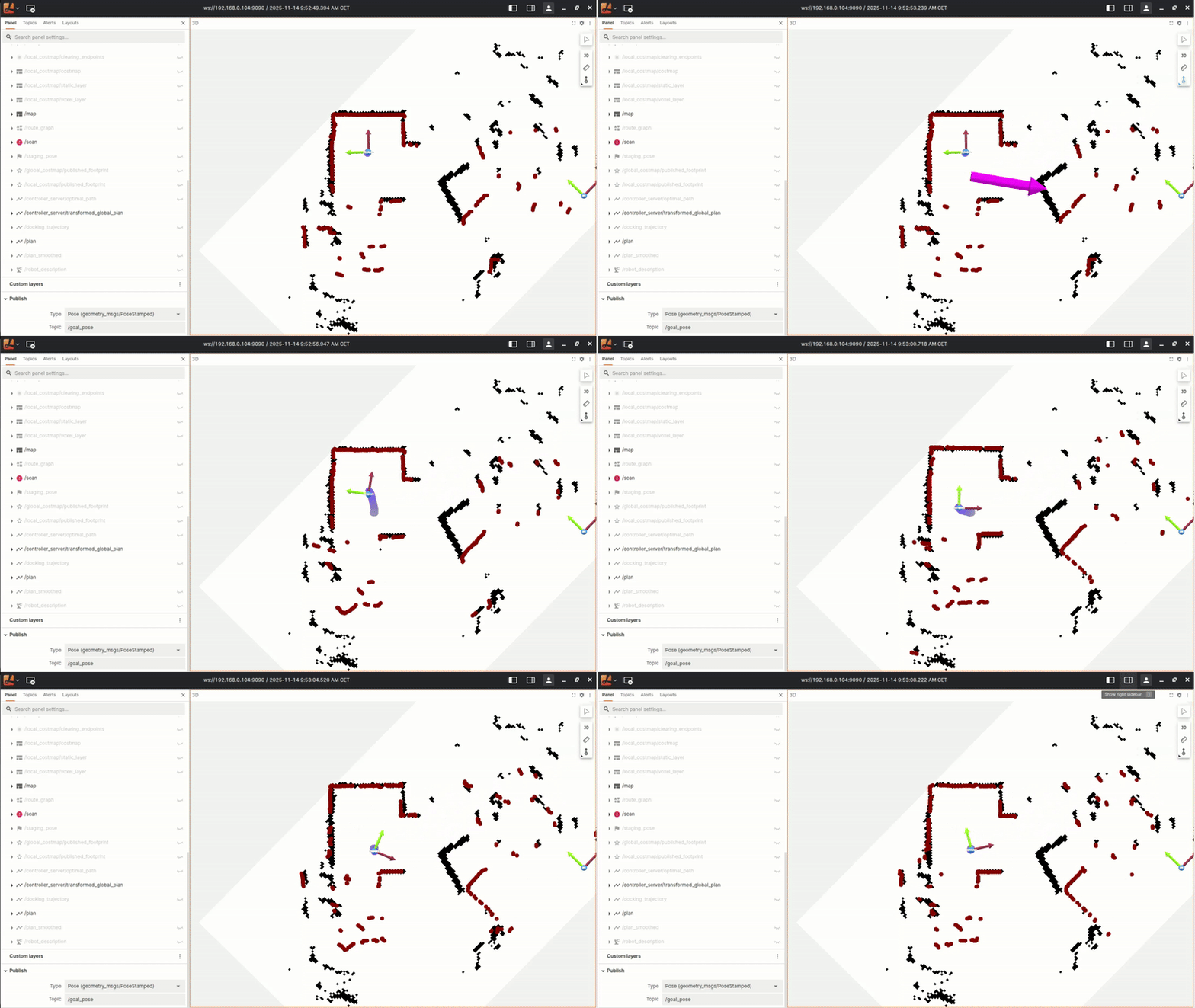
Now you can play around with the robot and send different goals to it using Lichtblick Suite!
Rviz2 on Devcontainer
You can also use Rviz2 to monitor and send goals to the robot. Make sure to run Rviz2 inside the devcontainer with the following command:
source /opt/roscon/setup.bash

ros2 run rviz2 rviz2 -d ~/workspace/turtlebot4.rviz
Switiching controllers and parameters
Nav2 comes with different local planners and controllers.
All the configuration set which is used for navigation is located in the nav2_params.yaml file and can be overwritten or modified in the launch command.
In the next step you can start palying around with the controller settings and or swtich the controller to the DWB controller.
Therefore you need to modify the controller_server parameters in the nav2_params.yaml file located under /home/ubuntu/roscon_de_2025_navigation_workshop/turtlebot4_navigation/config/nav2_params.yaml on the robot.
Replace the controller_server section with the following to run with DWB local planner (https://docs.nav2.org/configuration/packages/configuring-dwb-controller.html):
controller_server:
  ros__parameters:
    enable_stamped_cmd_vel: true
    controller_frequency: 20.0
    min_x_velocity_threshold: 0.001
    min_y_velocity_threshold: 0.5
    min_theta_velocity_threshold: 0.001
    failure_tolerance: 0.3
    progress_checker_plugins: ["progress_checker"]
    goal_checker_plugins: ["general_goal_checker"]
    controller_plugins: ["FollowPath"]
    use_realtime_priority: false
    progress_checker:
    plugin: "nav2_controller::SimpleProgressChecker"
    required_movement_radius: 0.5
    movement_time_allowance: 10.0
    general_goal_checker:
    stateful: true
    plugin: "nav2_controller::SimpleGoalChecker"
    xy_goal_tolerance: 0.15
    yaw_goal_tolerance: 0.15
    FollowPath:
    plugin: "dwb_core::DWBLocalPlanner"
    debug_trajectory_details: True
    min_vel_x: 0.0
    min_vel_y: 0.0
    max_vel_x: 0.26
    max_vel_y: 0.0
    max_vel_theta: 1.0
    min_speed_xy: 0.0
    max_speed_xy: 0.26
    min_speed_theta: 0.0
    # Add high threshold velocity for turtlebot 3 issue.
    # https://github.com/ROBOTIS-GIT/turtlebot3_simulations/issues/75
    acc_lim_x: 2.5
    acc_lim_y: 0.0
    acc_lim_theta: 3.2
    decel_lim_x: -2.5
    decel_lim_y: 0.0
    decel_lim_theta: -3.2
    vx_samples: 20
    vy_samples: 5
    vtheta_samples: 20
    sim_time: 1.7
    linear_granularity: 0.05
    angular_granularity: 0.025
    transform_tolerance: 0.5
    xy_goal_tolerance: 0.25
    trans_stopped_velocity: 0.25
    short_circuit_trajectory_evaluation: True
    stateful: True
    critics: ["RotateToGoal", "Oscillation", "BaseObstacle", "GoalAlign", "PathAlign", "PathDist", "GoalDist"]
    BaseObstacle.scale: 0.02
    PathAlign.scale: 32.0
    PathAlign.forward_point_distance: 0.1
    GoalAlign.scale: 24.0
    GoalAlign.forward_point_distance: 0.1
    PathDist.scale: 32.0
    GoalDist.scale: 24.0
    RotateToGoal.scale: 32.0
    RotateToGoal.slowing_factor: 5.0
    RotateToGoal.lookahead_time: -1.0